
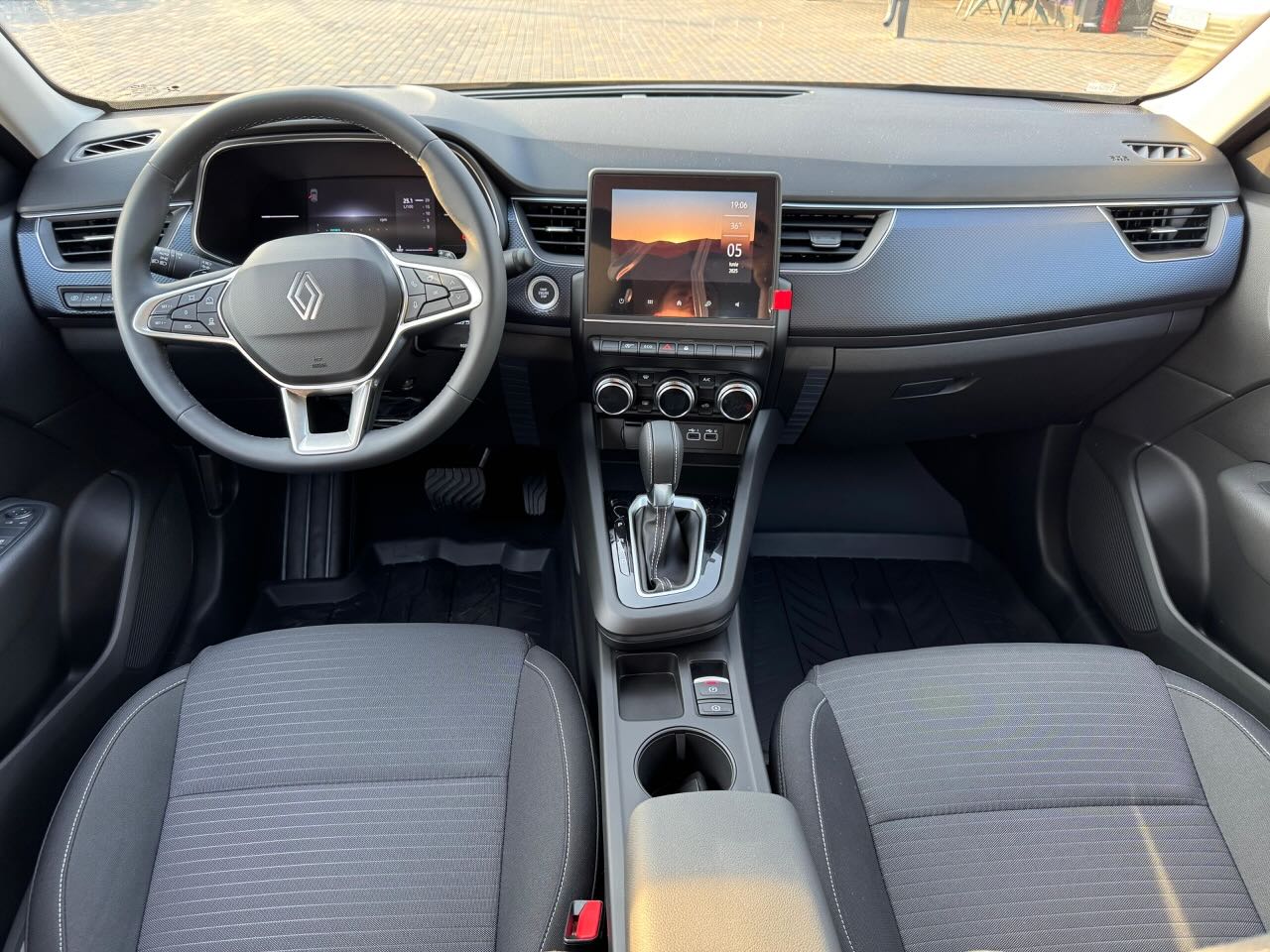
Introduction to rental car navigation in Bucharest
When renting a car in Bucharest, navigation becomes an essential element for an efficient and stress-free trip. Especially if you're visiting or don't know the city well, navigation car rental in Bucharest helps you to get to your destination quickly, avoiding traffic jams and blocked roads. Rentado - Inchirieri Auto Otopeni offers modern cars equipped with GPS or you can use Bucharest navigation apps on your mobile phone for a comfortable and safe experience.
What navigation options are available with Rentado cars
1. in-car GPS
Most cars in the Rentado fleet are equipped with integrated GPS systems. These provide up-to-date routes and voice guidance, especially useful in congested areas or around Otopeni and Bucharest. Using GPS is simple: turn the system on, enter the address and follow the directions. The advantage is that you're not dependent on cell phone signal and you have up-to-date maps, which can be essential in areas with poor signal.
2. Navigation apps on your phone
If you prefer to use your cell phone, there are several Bucharest navigation applications popular, free and easy to use. Among the best known are Google Maps, Waze and Here WeGo. These apps provide real-time traffic information, alternative routes and alerts about accidents or roadworks. To take advantage of all the features, it is recommended that you have an active data connection and use a phone holder in your car for safety.
Steps for efficient navigation with Rentado rental cars
- Plan your route before you leave - check your route and any traffic jams to avoid delays.
- Set the correct destination in your GPS or navigation app to get precise directions.
- Use alternative route options offered by apps to avoid the congestion on Bucharest's main arteries.
- Activate voice notifications so you can follow directions without constantly looking at the screen.
- Make sure your phone battery is charged or use a car charger to avoid navigation interruptions.
Advantages of using GPS navigation in Rentado cars
- Efficiency in traffic - avoid crowded areas and choose the quickest routes.
- Increased safety - Clear guidance reduces the risk of getting lost or making sudden maneuvers.
- Flexibility - the ability to change your route in real time depending on the traffic situation.
- Access to up-to-date information - up-to-date maps and traffic data, especially with mobile apps.
Recommendations for using navigation applications Bucharest
In Bucharest, traffic can be unpredictable and some areas are harder to reach. To make the most of Rentado's services and your rental car, keep the following tips in mind:
- Use Waze for real-time alerts - this app is highly appreciated for its active community reporting accidents, speed cameras and traffic jams.
- Google Maps offers alternative routes and accurate estimates of arrival time, useful for planning your trip.
- Activate offline mode in apps like Here WeGo if you don't have constant internet access.
- Check weather conditions and local events that may affect traffic and plan your route accordingly.
GPS issues in Rentado rental cars
Rentado provides cars with modern GPS systems, but it's important to know that some models may have different interfaces. If you're not familiar with the system, you can ask Rentado's team to help you set up your navigation by phone. Also, if you prefer to use your own phone, make sure you have a proper cradle and follow the rules of the road, avoiding distractions while driving.
What's useful to know about Rented car navigation in Bucharest
Renting a car from Rentado - Inchirieri Auto Otopeni gives you the freedom to explore Bucharest and its surroundings at your own pace. The correct use of Bucharest car rental Bucharest is essential for an enjoyable and worry-free experience. Whether you choose integrated GPS or navigation apps on your phone, planning and attention to detail will help you avoid traffic frustrations and get to all your destinations on time.
FAQ - Frequently asked questions about navigation in Rentado rental cars
1. Can I use my phone with navigation apps in the rental car?
Yes, you can use your personal phone with apps like Google Maps or Waze. It is recommended that you use a phone cradle and have an active data connection for best results.
2. Do Rentado cars come with integrated GPS?
Most of the cars in the Rentado fleet are equipped with integrated GPS, but you can check this at the time of booking or when you pick up your vehicle.
3. What do I do if the GPS in my car is not working properly?
In case of a breakdown, you can contact the Rentado team for technical support or use the navigation apps on your mobile phone.
4. How can I avoid congestion in Bucharest using navigation?
Navigation apps like Waze provide real-time traffic information and can suggest alternative routes to avoid congested areas.
5. Do I have to pay extra to use the GPS at Rentado?
No, the use of integrated GPS or navigation apps is included in Rentado's services at no extra cost.




 EN
EN  RO_RO
RO_RO  IT
IT